
Your inbox should look good and mind its own business. VibeMail does both.

All your email accounts in one inbox on your phone. No ads, no tracking. A privacy-first email app for iPhone, iPad and Android.

Free to download and free to use. Pro from A$3.99 a month.

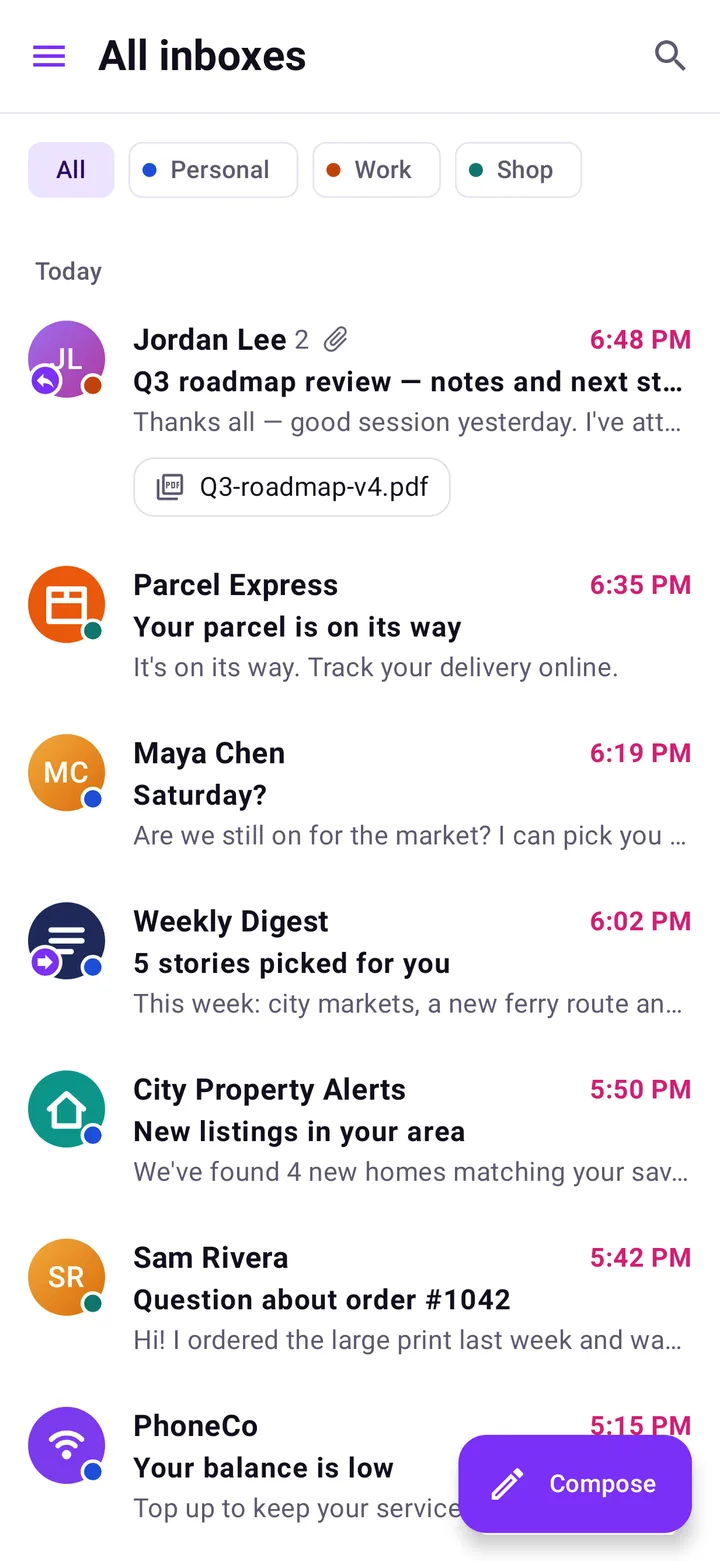
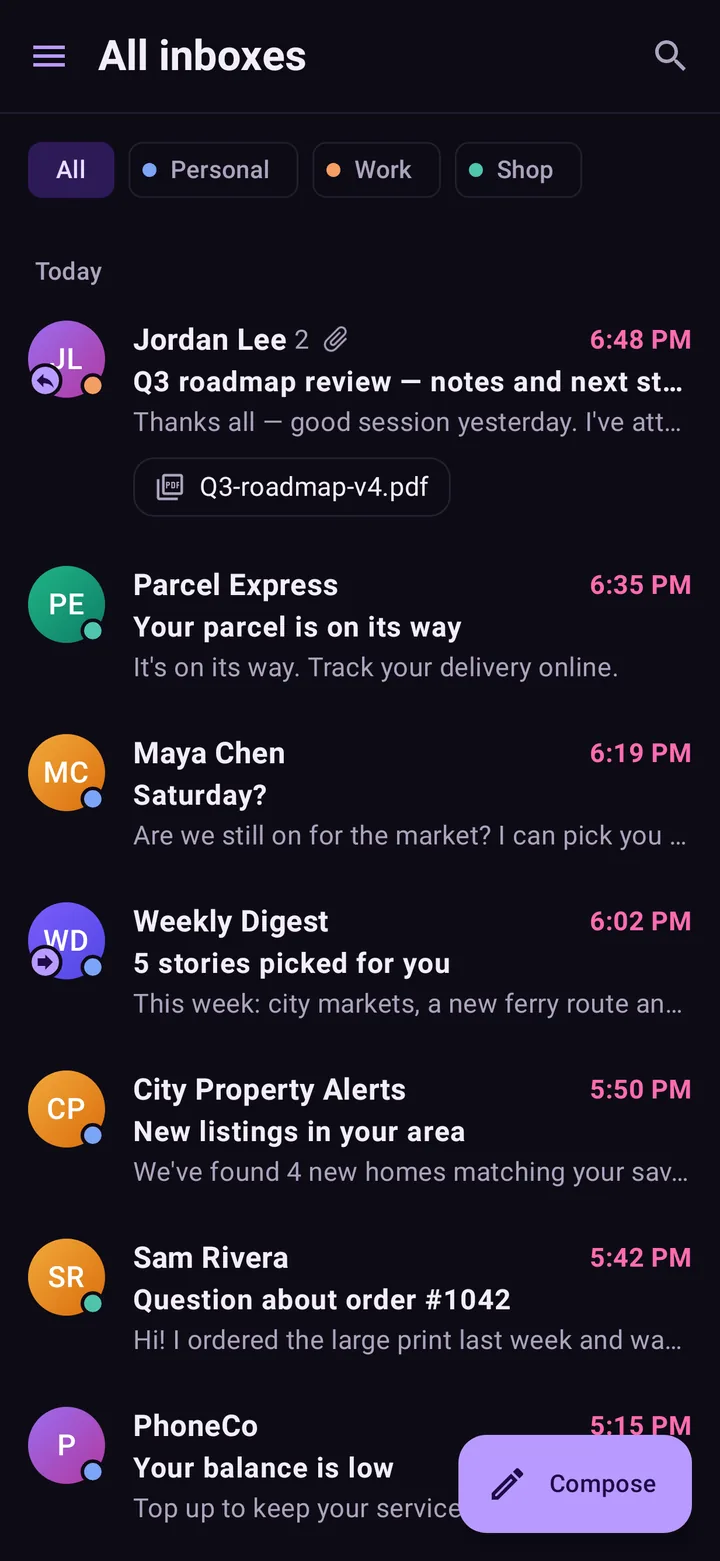
The VibeMail inbox: messages from three accounts, each marked with its account colour, with Personal, Work and Shop filters at the top.
One inbox

Every account in one place

Add as many accounts as you like, from any provider. Each gets its own colour, so you always know where a message came in.

  • Tap an account to see only that account's mail.
  • Replies go out from the address the email came to.
  • Sent to two of your addresses? You only see it once.
  • Gmail
  • Outlook
  • Microsoft 365
  • iCloud
  • Yahoo
  • Your own domain
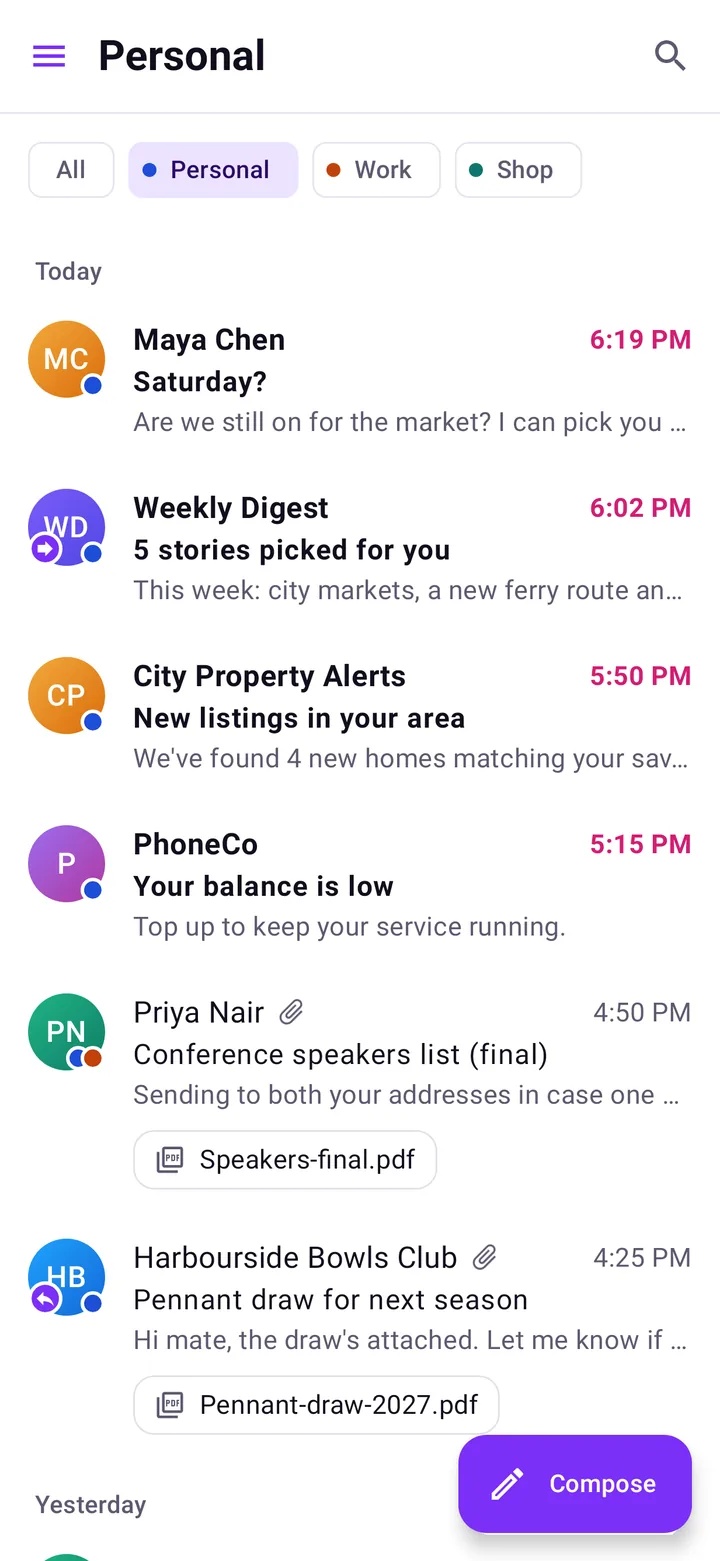
The inbox filtered to the Personal account: the Personal chip is selected and only its mail shows.
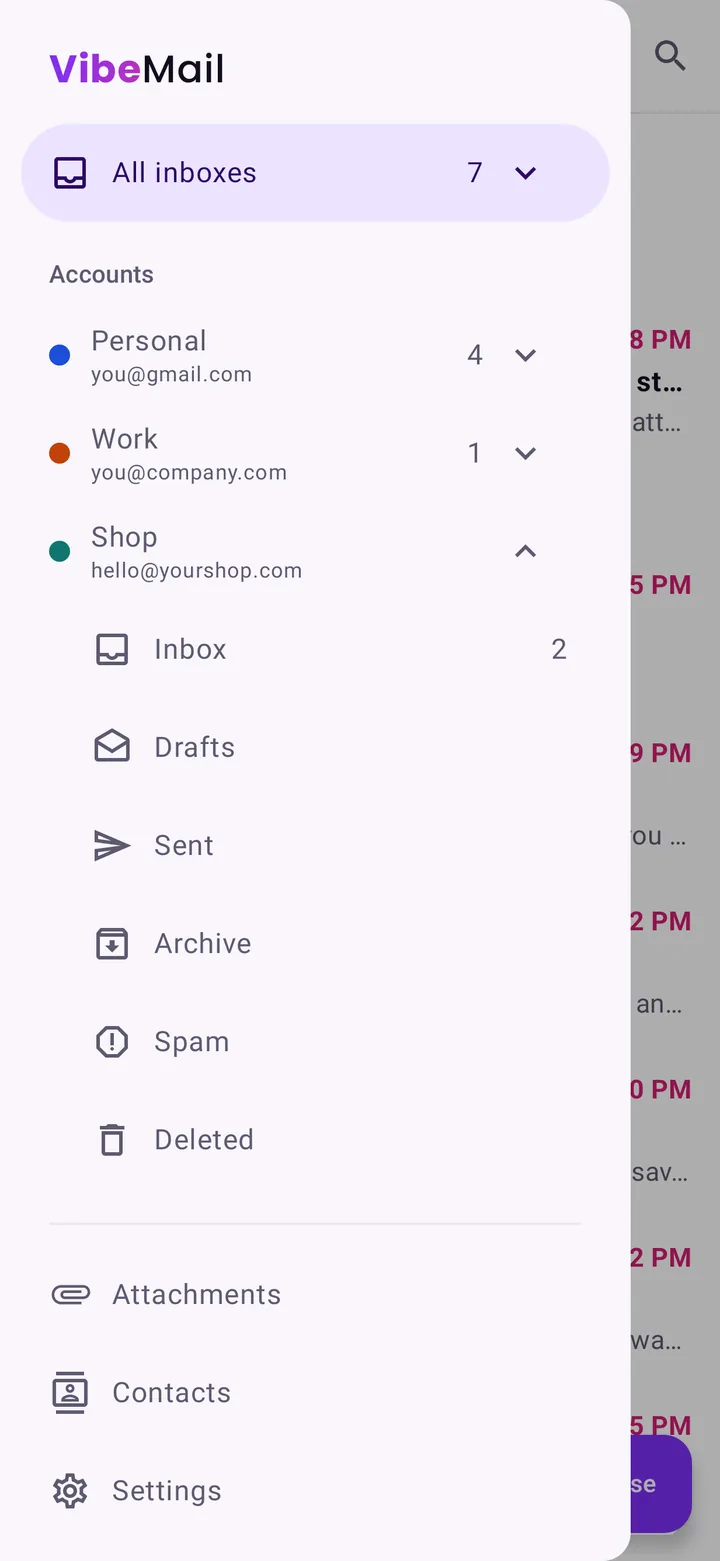
The side menu: All inboxes, then each account with its address and unread count. The Shop account is open on its Inbox, Drafts, Sent, Archive, Spam and Deleted.
Swipe actions

Keep your inbox clear

Swipe right to archive and left to mark as read. Rather delete, snooze or move? Set each swipe to suit the way you work.

Archived or deleted by mistake? Tap Undo.

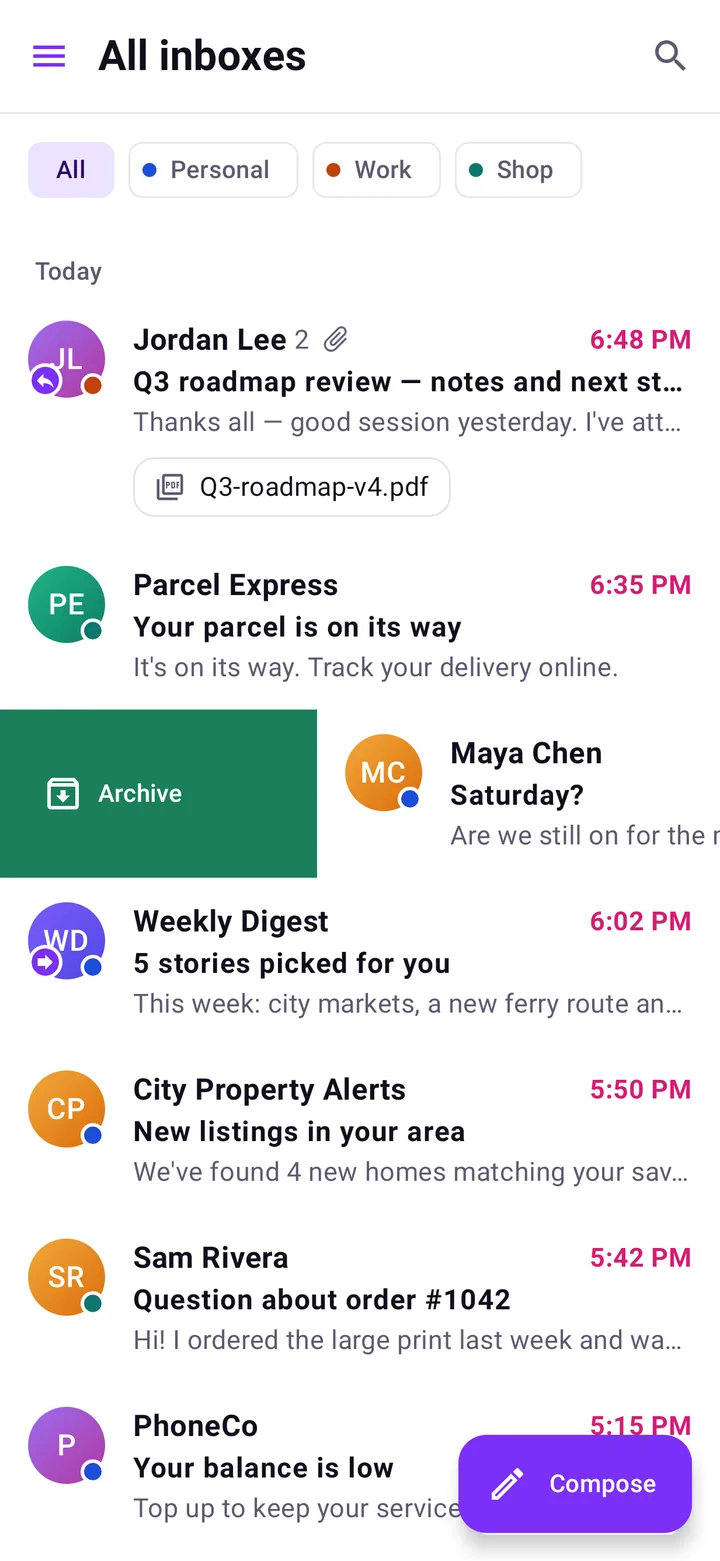
A message being swiped to the right, showing a green Archive action behind it.
Later

Deal with it later PRO

Not every email needs an answer right now. Snooze it till morning, write tonight and send at 8, and get an alert if no-one writes back.

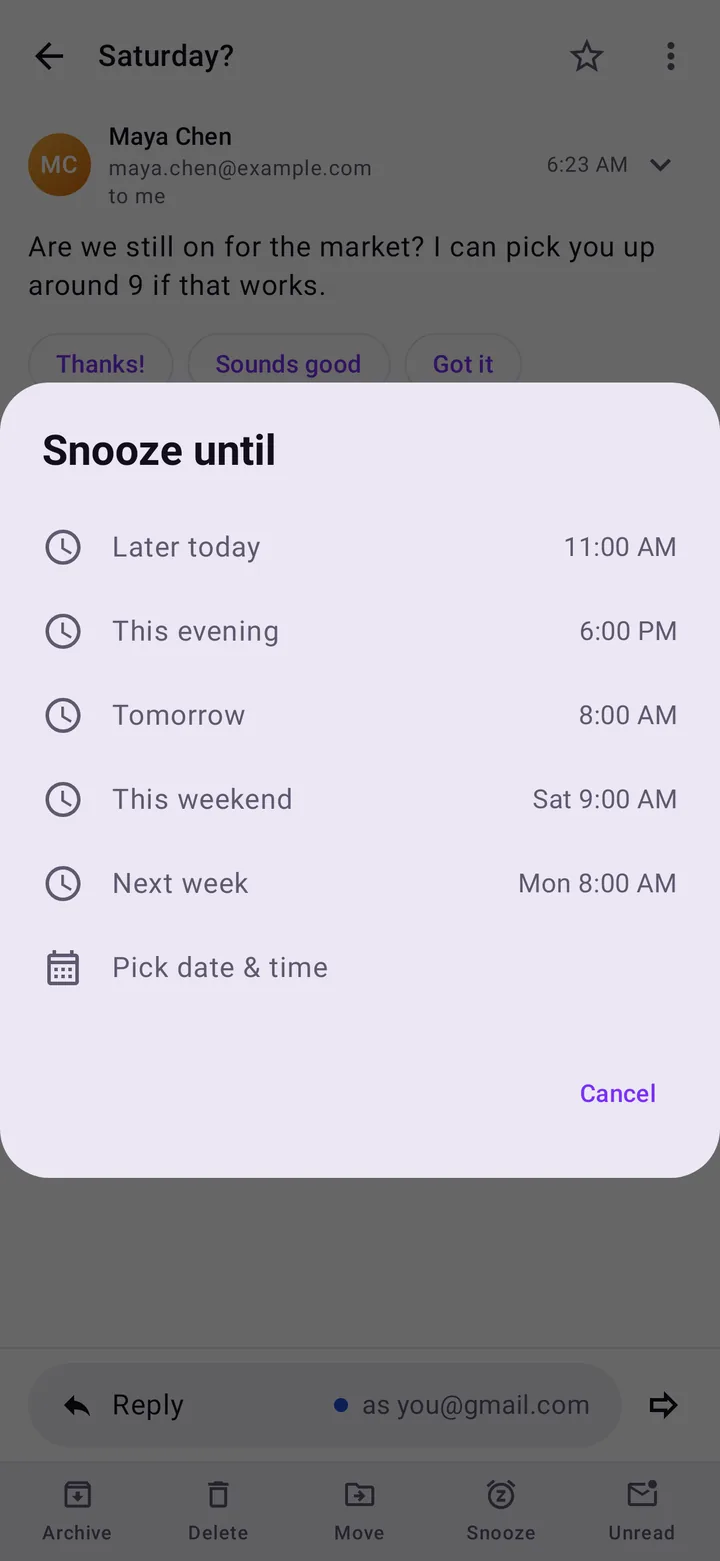
The Snooze until menu: Tomorrow, This weekend, Next week, or pick a date and time.
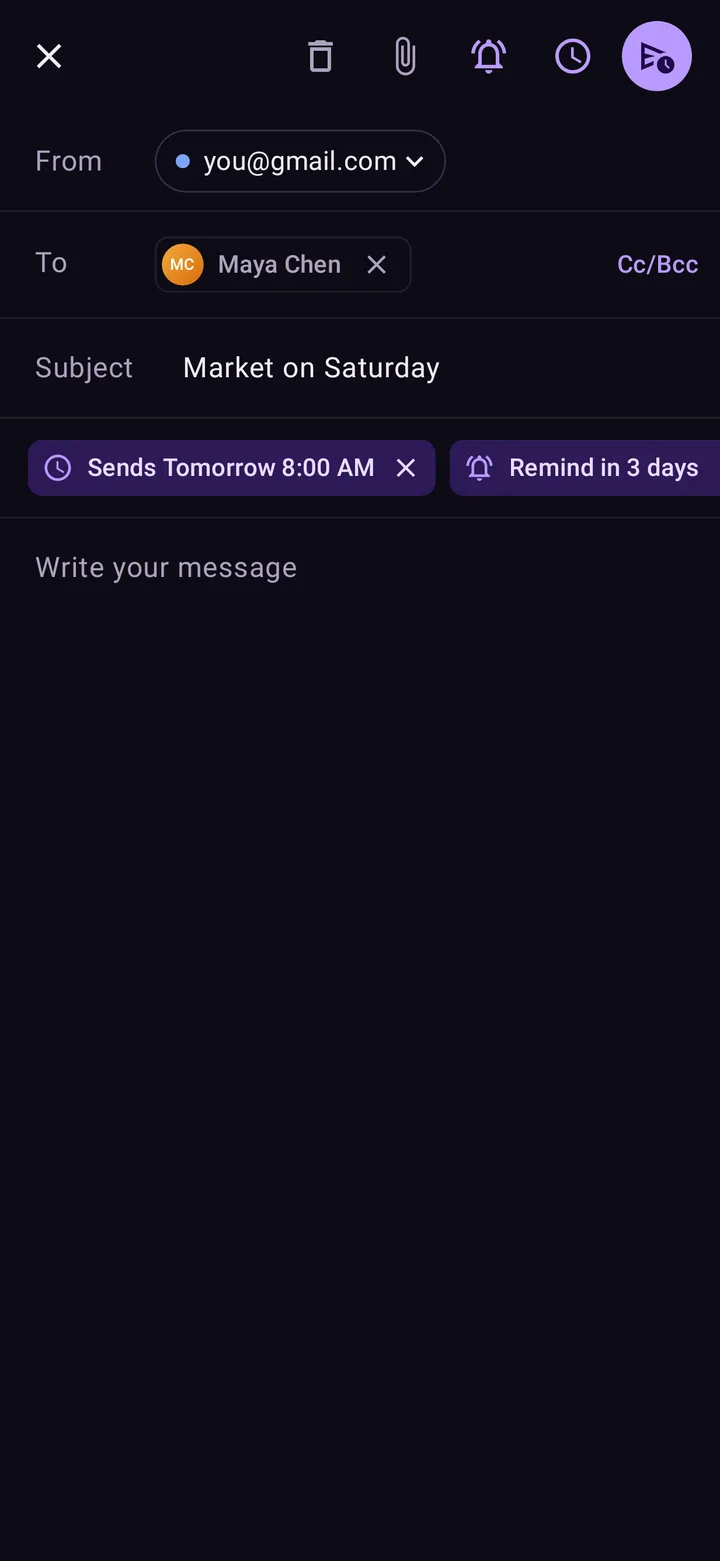
A new email to Maya Chen, shown as a name pill, set to send tomorrow at 8:00 am, with a reminder if there's no reply in 3 days.

Snooze

It disappears from your inbox and comes back at the top, unread, exactly when you asked.

Send later

Set a time for when it's sent. Want it to go out at 9 am tomorrow? Done.

Remind if no reply

Sent something important? Ask for a reminder if there's no reply.

Photos

Photos right where you want them

Drop a photo between two sentences and it stays exactly where you put it. Your email displays the way you meant it to.

  • Resized to send fast.
  • Location data removed.
  • Files and PDFs attach as normal.
Writing an email to Maya Chen with a photo of a beach shelter at sunset placed between two lines of text.
Translate

Read it in your language PRO

Got an email in French, Japanese or Spanish? Tap Translate and it translates your email on the spot, formatting and all. Tap Show original to flip back.

If the app auto-selects the wrong language, tap Change.

It all happens on your phone, so your email never goes off to a translation service.

Short on time? Summarise your email in a few lines, right on your phone. Summaries need a recent phone.

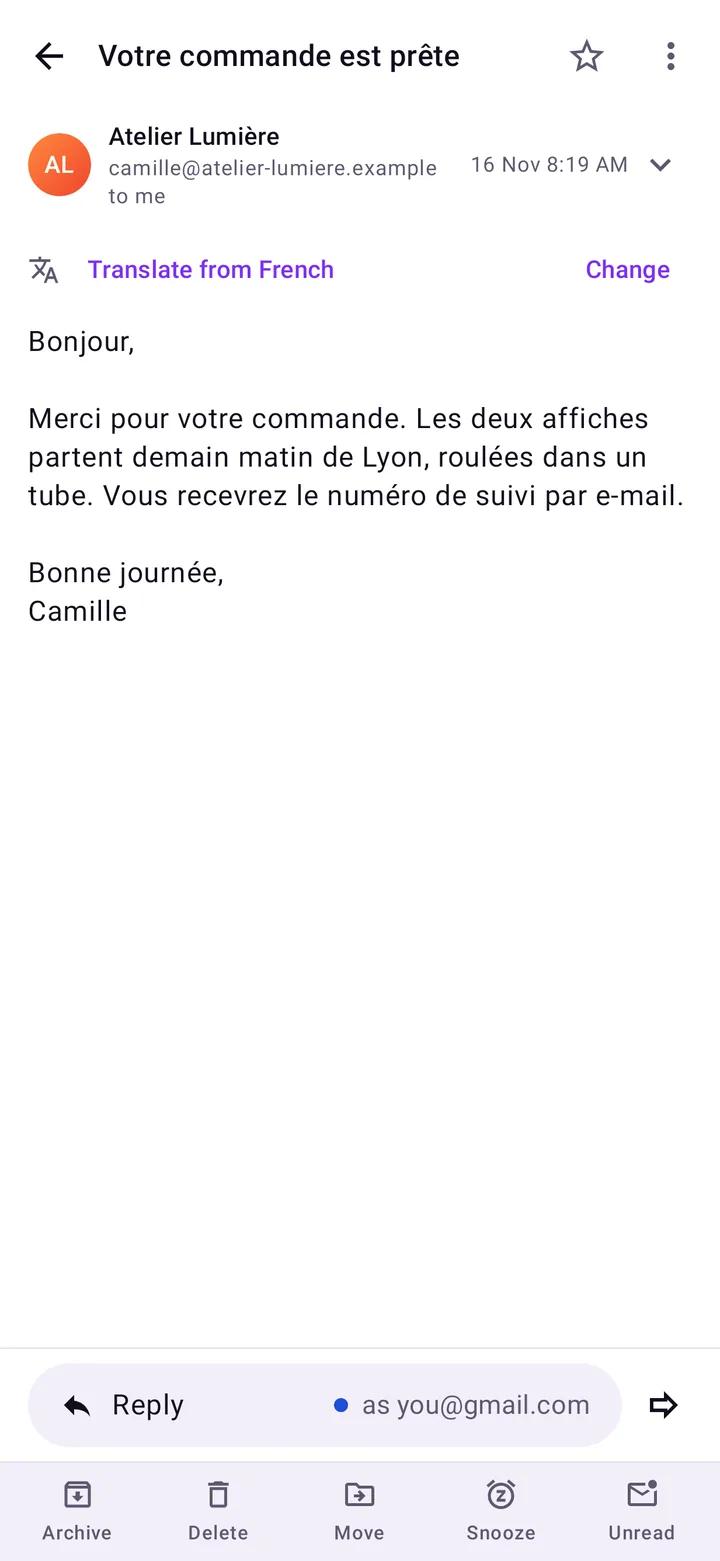
An email in French with a Translate from French button above it.
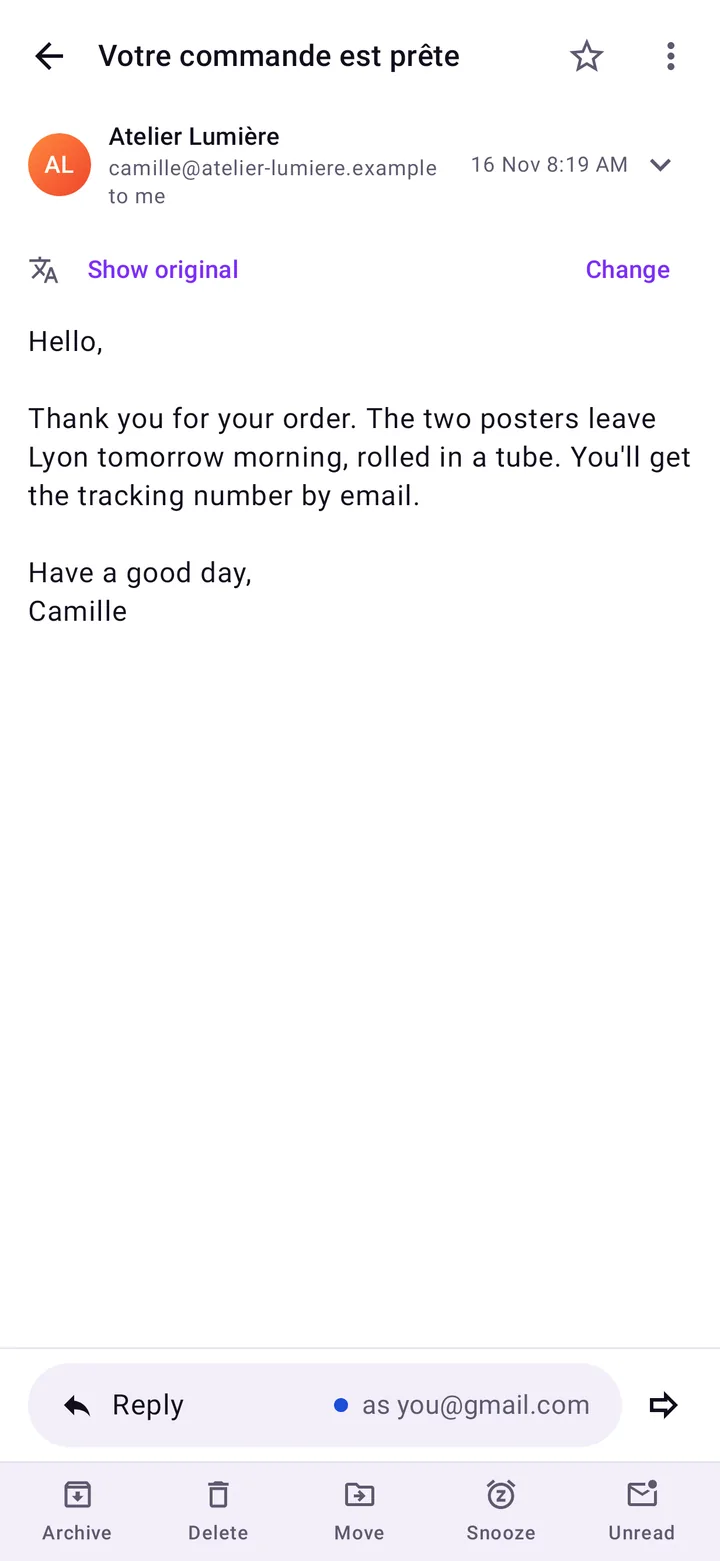
The same email translated into English, with a Show original button.
Company logos

Know who it's really from PRO

Emails from businesses show their logo, but only after VibeMail has checked the email's digital signature and confirmed the business really sent it.

So a scam dressed up as your bank shows plain initials instead of your bank's logo. That's your cue to look twice.

The inbox with company logos next to mail from a courier, a newsletter, a property site and a phone company, and initials for people.
Search

Find anything, fast

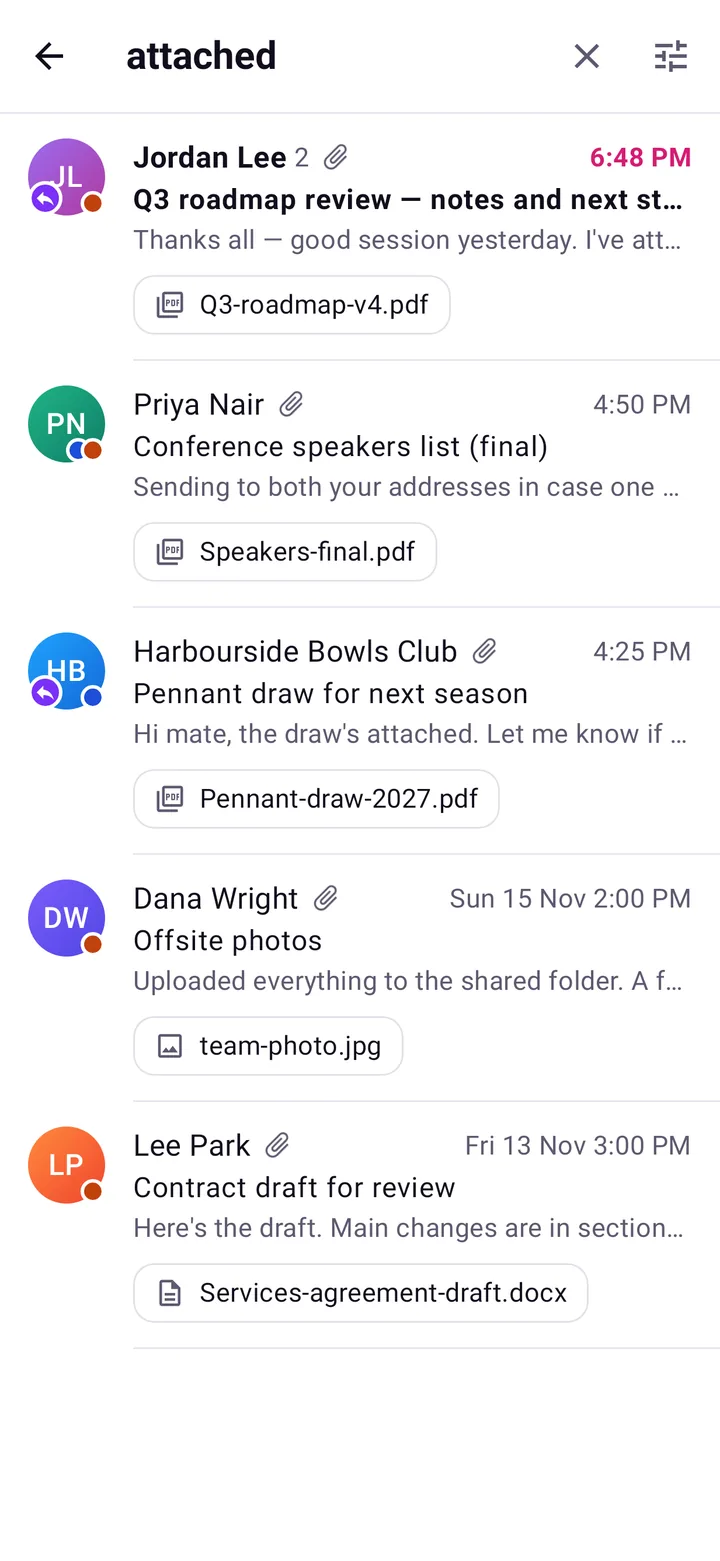
Start typing and results appear from every account at once. VibeMail can check your server too, so older emails can be displayed as well.

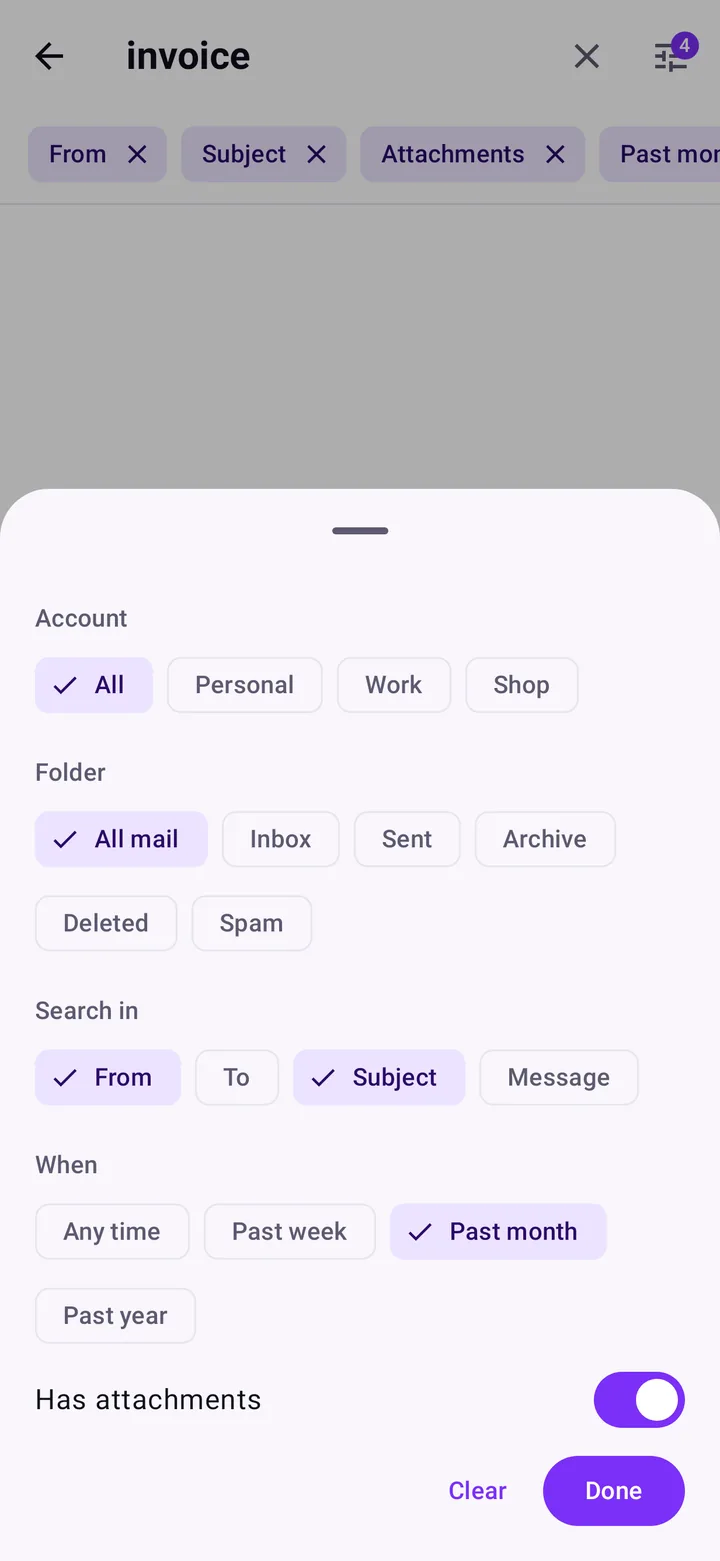
Search by sender, recipient, subject or the message itself, then narrow it down by account, folder, date or attachments.

Recent searches are saved, so the ones you repeat are a tap away.

Search results for the word attached, from several accounts, each showing its attachment.
Search filters: account, folder, search in From and Subject, the past month, and Has attachments switched on.
Calendar

Say yes without leaving your inbox

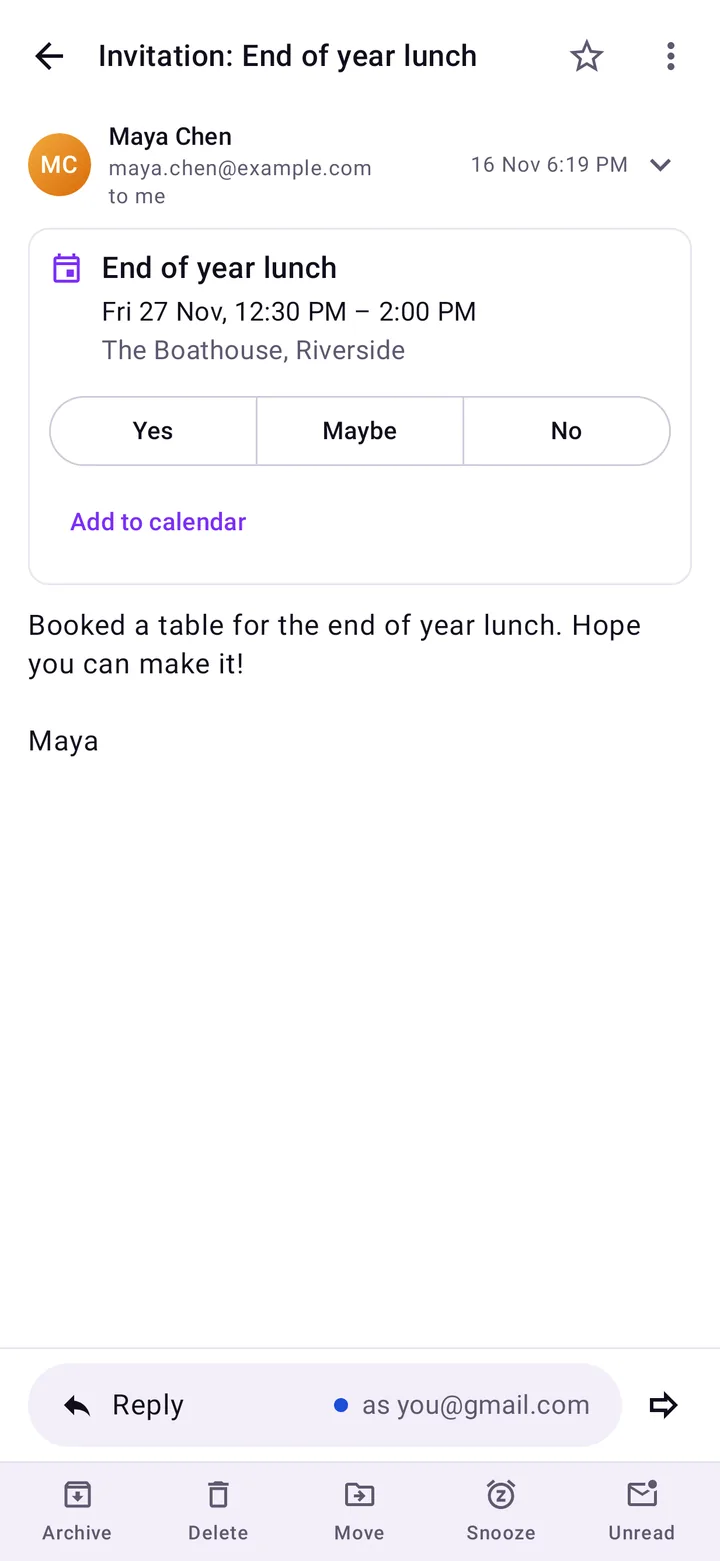
Invites show what, when and where up front. Tap Yes, Maybe or No and the organiser gets your reply.

Then add it to your calendar in one tap.

An invitation to an end of year lunch, with its time and place, Yes, Maybe and No buttons, and Add to calendar.
Folders

Your folders, on every account

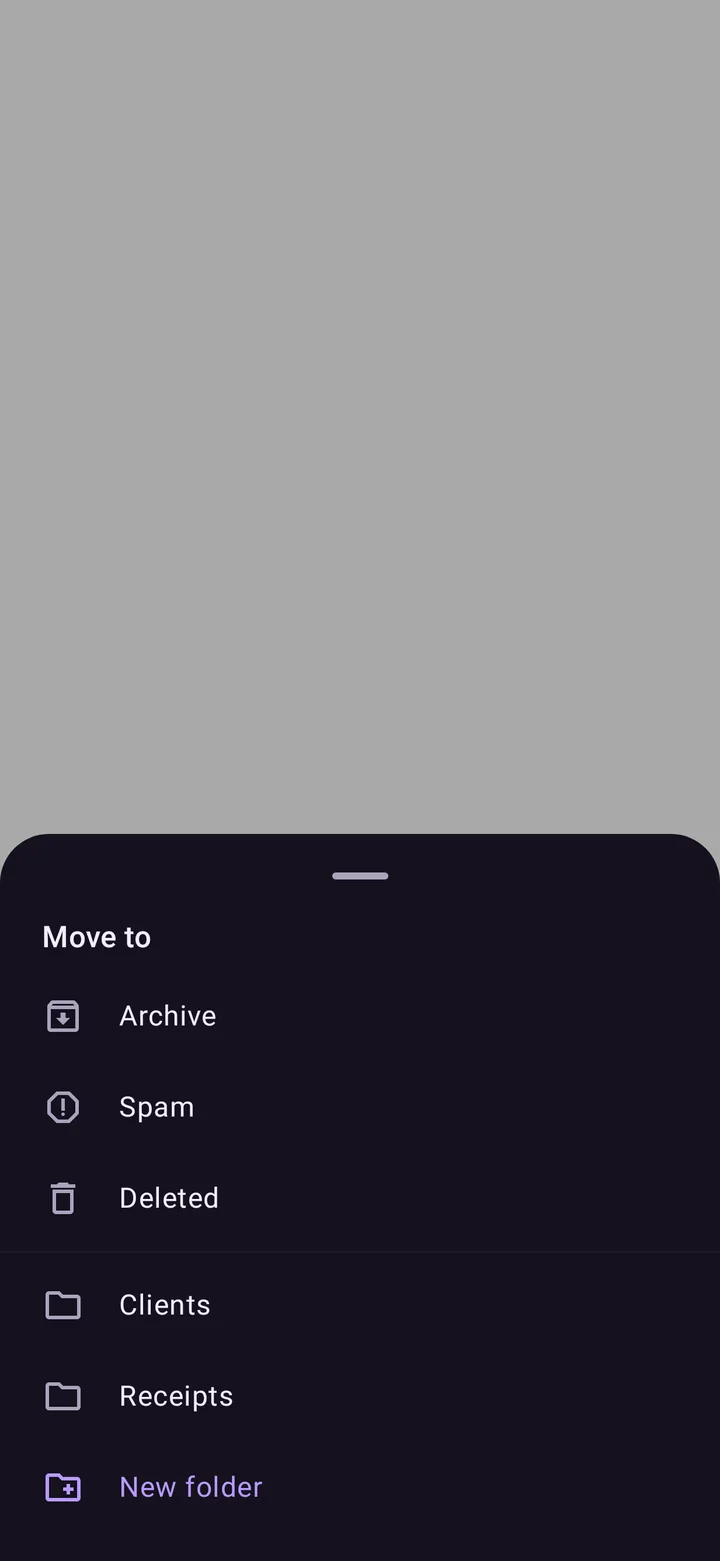
Easily access your email folders from the side menu. Move mail between them, or create, rename and tidy folders without going near a computer.

Archive, Sent, Spam and Deleted work the same way on every account, so you never have to think about it.

Colour labels work across folders and accounts. Tag a conversation, then find everything with that label in one place.

The Move to menu: Archive, Spam, Deleted, the account's own folders, and New folder.
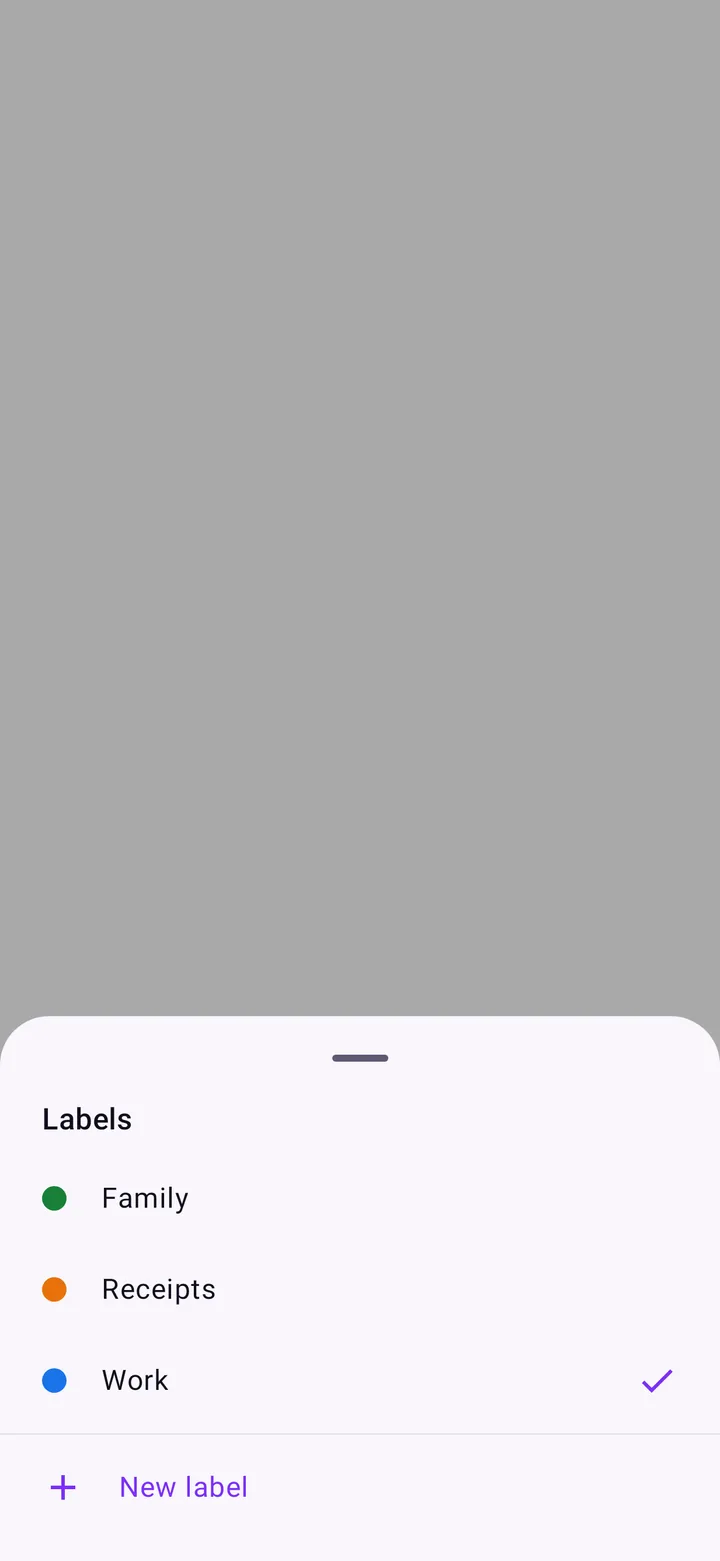
The Labels picker on a conversation: Family, Receipts and Work, with Work ticked.
Make it yours

Customisation

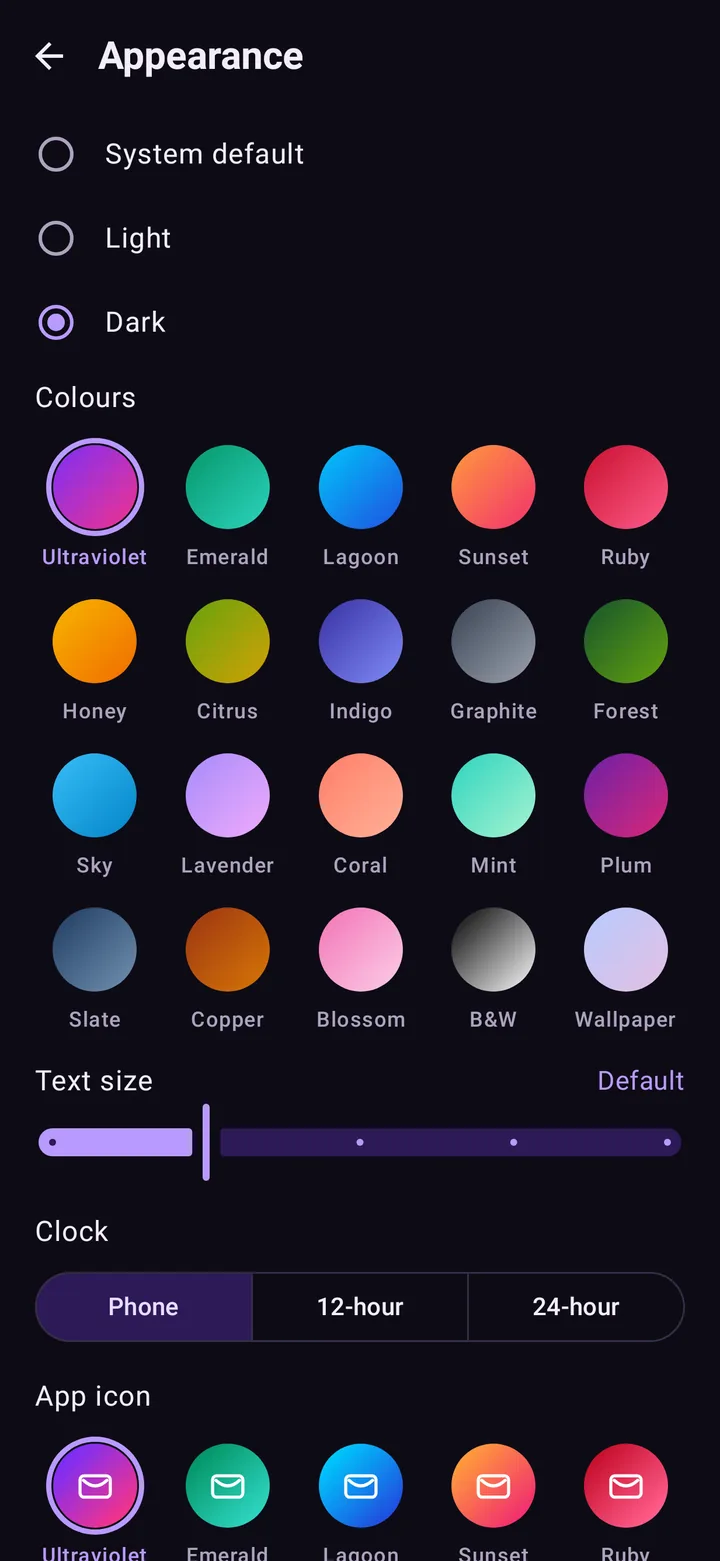
Light, dark or match your phone. Choose from 20 colour themes and 20 app icons. Five of each come free, and Pro unlocks the lot.

Set the text size, how much fits on screen, and 12 or 24-hour time. Free for everyone.

Appearance settings in dark mode: the colour themes, text size, clock and app icons to choose from.
The inbox in dark mode.

And everything else you'd want

App lock

Keep VibeMail locked behind your fingerprint, face or PIN.

Home screen widgets

Put your latest mail, or just the unread count, on your home screen. Archive or mark as read without opening the app.

Reply from the notification

Reply, archive or mark as read straight from the notification.

Quick replies

Tap Thanks!, Sounds good or Got it to start a reply. Swipe sideways for the next conversation.

Undo

Every archive and delete can be undone. You can even turn on Undo send, for a few seconds' grace after you hit Send.

Star and pin

Star what matters and pin conversations to the top. Emails you've replied to or forwarded show when you did it.

Spam and block

Block a sender and their mail goes straight to Spam. Or clear out everything from one sender at once.

Colour labels

Tag conversations with your own labels. They sync to your mail server, so they show up on your other devices too.

Mute

Silence a reply-all thread that won't quit. The emails still arrive, but your phone stays quiet.

Phone contacts

Contacts display as you type, if you allow it.

Attachments

Every file from every account, all in one list. Save all of an email's attachments at once.

Move to a new phone

Transfer your accounts and settings when you upgrade.

Sign in with Google or Microsoft

Sign in to Gmail and Outlook with your usual login. No app passwords and no fiddly settings.

Quiet hours

Choose which accounts can notify you, and set quiet hours, so no noisy alerts overnight.

Who it went to

See everyone an email went to, right under the sender's name.

Select several

Press and hold to select, tap a few more, then archive, move, label or delete them in one go.

Formatting

Bold, italics and bullet points when you need them.

Conversations or single emails

Read replies together as one conversation, or switch that off and see each email separately.

Pro

Even more with Pro

See everything in Pro

Sender rules PRO

Automatically file, label, mark as read or silence mail from any sender. Or have it archived after a day, a week or a month.

VIP senders PRO

Flag the people who matter most, and only get notified when they write.

Templates PRO

Save the replies you find yourself typing again and again, and drop them in with a tap.

Unsubscribe in one place PRO

See every mailing list you're on, unsubscribe from the ones you don't want, then archive the leftovers in one go.

Smart folders PRO

Save any search as a folder that keeps itself up to date.

Summaries PRO

The gist of a long email in a few lines, made on your phone. Needs a recent phone.

Your email stays yours

VibeMail connects straight to Gmail, Outlook or your own mail server. We don't copy your email to our servers, and we can't read it.

  • No VibeMail account to create.
  • No ads, no tracking, no analytics.
  • Your passwords stay locked away on your phone.
  • Images that track you are blocked until you say otherwise.
  • Tracking pixels are stripped out, even when you load images, and from the replies you send.
  • If a link says one website but goes to another, VibeMail checks with you first.

Read the privacy policy

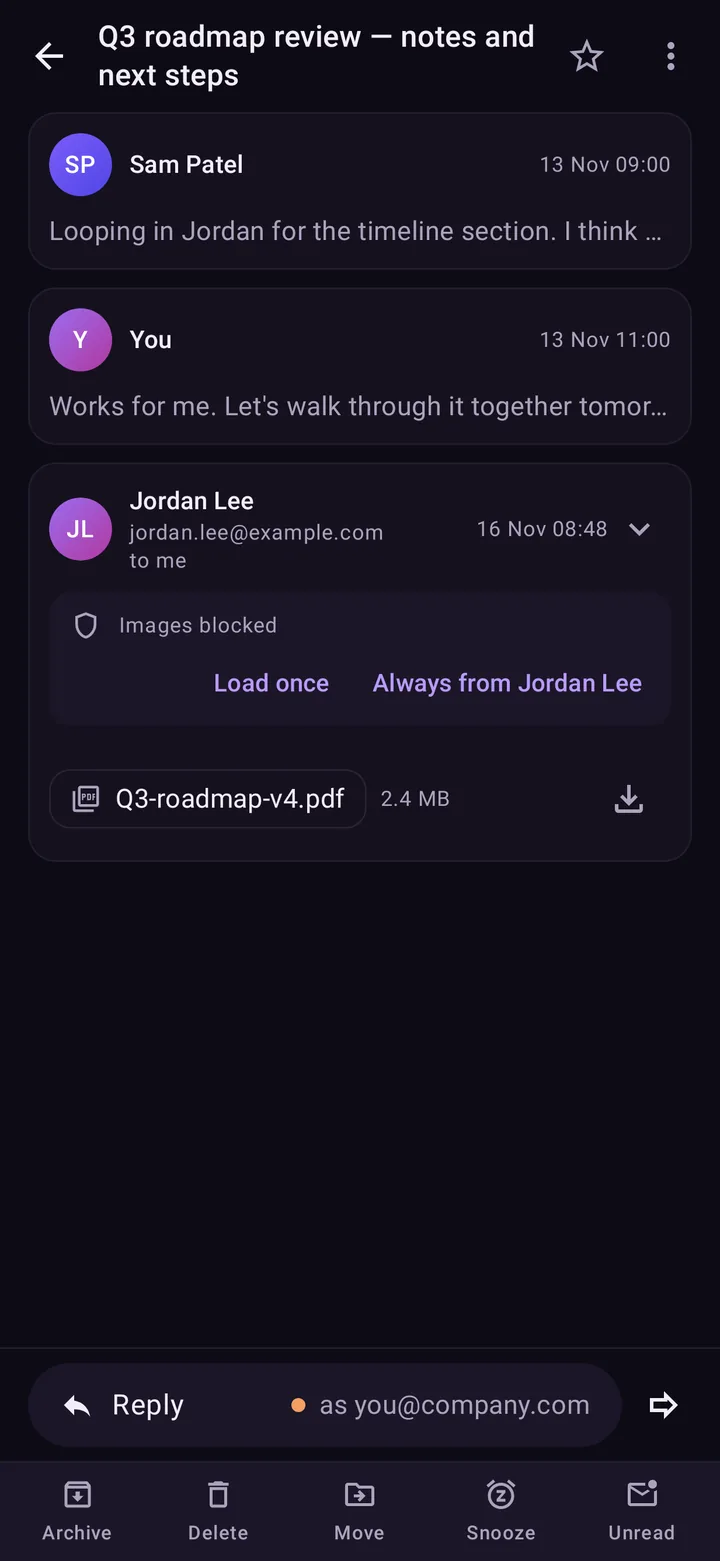
An open email showing Images blocked, with Load once and Always from Jordan Lee buttons.
Pricing

Free, or Pro

The free version is the full email app, with unlimited accounts, no ads and no catch. Pro adds instant push for Outlook and a set of power features. See what's in Pro.

Free

A$0

Forever.

  • Unlimited accounts
  • One inbox for all of them
  • Folders, search, swipe actions
  • Photos and attachments
  • New mail checked every 15 minutes
  • Instant push for supported domains*
  • Colour labels and mute
  • Calendar invites
  • Tracker blocking and lookalike link warnings
  • Reply from the notification, quick replies
  • Sender pictures
  • App lock and widgets

Pro

A$29.99 a year

Save 37% That's about A$2.50 a month. Or A$3.99 monthly.

  • Everything in Free
  • Instant push for Outlook and Microsoft 365*
  • Send later, snooze, reminders
  • Translate and summaries
  • Company logos
  • All colour themes and app icons
  • Sender rules: move, label, mark read, keep quiet, auto-archive
  • VIP senders and templates
  • Unsubscribe in one place
  • Smart folders
Free and Pro, side by side
FeatureFreePro
Unlimited accounts: Gmail, Outlook, iCloud, Yahoo, any IMAPYesYes
One inbox for every accountYesYes
Sign in with Google or MicrosoftYesYes
Replies from the right address, aliases, signaturesYesYes
Folders and search, with filters and recent searchesYesYes
Select several and act on them allYesYes
Write with photos, attachments and formatting, draftsYesYes
Calendar invites: answer and add to your calendarYesYes
Phone contacts as you typeYesYes
Undo archive, delete and sendYesYes
Swipe actions, star and pinYesYes
Replied and forwarded marksYesYes
Quick replies, swipe between conversationsYesYes
Reply from the notificationYesYes
Notifications per account, quiet hoursYesYes
Spam, block, delete all from a senderYesYes
Block remote imagesYesYes
Tracker blockingYesYes
Warning before lookalike linksYesYes
Unsubscribe from an email with one tapYesYes
Sender picturesYesYes
Colour labels, synced to your serverYesYes
Mute a conversationYesYes
Attachments view and Save allYesYes
Reload a message from the server, printYesYes
App lockYesYes
Home screen widgets: latest mail or unread countYesYes
Dark mode, text size, list spacing, 12 or 24-hour clockYesYes
Move to a new phoneYesYes
Instant push for supported domains*YesYes
New mail from Outlook and Microsoft 365Every 15 minInstant*
Colour themes and app icons5 of eachAll 20
Send later, at your time or theirsNoYes
Remind if no replyNoYes
SnoozeNoYes
TranslateNoYes
Summaries, made on your phone†NoYes
Company logosNoYes
Sender rules: move, label, mark read, keep quiet, auto-archiveNoYes
VIP sendersNoYes
TemplatesNoYes
Unsubscribe in one placeNoYes
Smart foldersNoYes

* Instant push is free for domains hosted on mail servers that support it, and part of Pro for Outlook and Microsoft 365 accounts. Other accounts, Gmail included, are checked every 15 minutes in the background, and update live while VibeMail is open. † Summaries need a recent phone: Pixel 9 or later and other phones with Google's on-device model, or an iPhone with Apple Intelligence. Prices in Australian dollars, including GST. Pro renews automatically through Google Play or the App Store until you cancel.

Try VibeMail

Free on Android, iPhone and iPad.